
- If you don’t already have a TravelTime API key, then you can get a free key by creating an account here
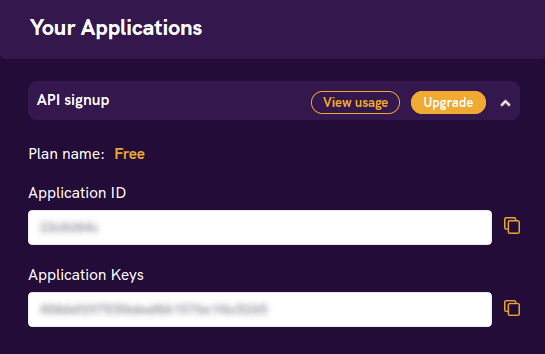
- Once you’ve verified your email and logged in, you’ll land on your new TravelTime account dashboard
- Here you can find your API credentials that you will need to use when making any requests to the TravelTime API
The simplest Isochrone endpoint to use is the /v4/time-map/fast endpoint.
- A maximum of 10 isochrones can be generated in a single Request by adding multiple Searches
- Request type - POST
- Host - api.traveltimeapp.com
- Endpoint - /v4/time-map/fast
- Authentication - Application-Id, Api-Key
- ID - a unique identifier for the isochrone used as a reference in the subsequent API response
- coords - the latitude and longitude coordinates of the search location
- arrival_time_period -
weekday_morningreflects the typical travel times at 8-9am (in the local time zone where the locations are situated) - travel_time - the maximum journey time in seconds
- transportation type - possible values are
public_transport,walking+ferry,cycling+ferry,driving+ferry,driving+public_transport
A full list of available parameters, including optional ones, can be found here.
Click Try it now to open the endpoint Developer Playground and execute the request.
JSON request body
{
  "arrival_searches": {
    "many_to_one":[
      {
      "id": "Example Isochrone",
      "coords": {
           "lat": 51.1234,
            "lng": 0.01234
        },
        "arrival_time_period": "weekday_morning",
        "travel_time": 7200,
        "transportation": {
          "type": "public_transport"
        }
      }
    ]
  }
}
Example formatted as a Curl request
Curl request
curl -X POST https://api.traveltimeapp.com/v4/time-map/fast \
-H 'Content-Type: application/json' \
-H 'Accept: application/json' \
-H 'X-Application-Id: YOUR_APP_ID' \
-H 'X-Api-Key: YOUR_APP_KEY' \
-d '{
  "arrival_searches": {
    "many_to_one":[
      {
      "id": "Example Isochrone",
      "coords": {
           "lat": 51.1234,
            "lng": 0.01234
        },
        "arrival_time_period": "weekday_morning",
        "travel_time": 7200,
        "transportation": {
          "type": "public_transport"
        }
      }
    ]
  }
}'If you aren’t logged in then you’ll need to manually enter your own Application ID and API Key in place of the placeholders
This endpoint is available in the 32 countries listed here. If you require support for another country then see the Alternative Isochrone Endpoints section at the bottom of this page.
- A successful request will return a response that includes:
- The ID of the search
- ‘Shells’ - these are the areas covered by the isochrone
- ‘Holes’ - these are areas within specific shells that are not covered by the isochrone
{
  "results": [
    {
      "search_id": "Example Isochrone",
      "shapes": [
        {
          "shell": [
            {
              "lat": 51.48696930248525,
              "lng": -0.31584515200982954
            },
            {
              "lat": 51.48696930248525,
              "lng": -0.31630523234778996
            },
            ...
            {
              "lat": 51.48696930248525,
              "lng": -0.31584515200982954
            }
          ],
          "holes": []
        },
        {
          "shell": [
            {
              "lat": 51.465109890241166,
              "lng": -0.3025028222089773
            },
            {
              "lat": 51.46525370216383,
              "lng": -0.3027328623779575
            },
            ...
            {
              "lat": 51.465109890241166,
              "lng": -0.3020427418710169
            },
            {
              "lat": 51.465109890241166,
              "lng": -0.3025028222089773
            }
          ],
          "holes": []
        },
        {
          "shell": [
            {
              "lat": 51.465109890241166,
              "lng": -0.2472931816537267
            },
            {
              "lat": 51.46525370216383,
              "lng": -0.24752322182270692
            },
            ...
            {
              "lat": 51.465109890241166,
              "lng": -0.2472931816537267
            }
          ],
          "holes": []
        }
      ],
      "properties": {}
    }
  ]
}Returned isochrone is often a multi-polygon, with multiple unconnected Shells
Response can also be retrieved in geoJSON format by setting the Accept header as application/geo+json. All available response formats listed here.
An unsuccessful request will return an error message. For example, if invalid API credentials are used, the following error is returned.
{
  "http_status": 401,
  "error_code": 10,
  "description": "Application Id or Api Key is invalid",
  "documentation_link": "http://docs.traveltimeplatform.com/reference/error-codes",
  "additional_info": {}
}
A full list of error codes can be found here.
The /v4/time-map/fast endpoint is the simplest Isochrone endpoint with the fastest response times.
If you require additional configurable parameters or countries, then consider using the /v4/time-map endpoint instead. Although it has slower response times, it supports more detailed parameters such as an exact arrival or departure time. It is also available in all 234 countries listed here.
If you are looking for isolines based on distance rather than travel time, then use the /v4/distance-map endpoint instead.